
Podcasters
Turn episodes into clips
Pull the sharpest moments from each recording and post them where your next listener is already scrolling.
Auto-captioned and ready to post. No subscription to cancel. Pay only for what you clip.
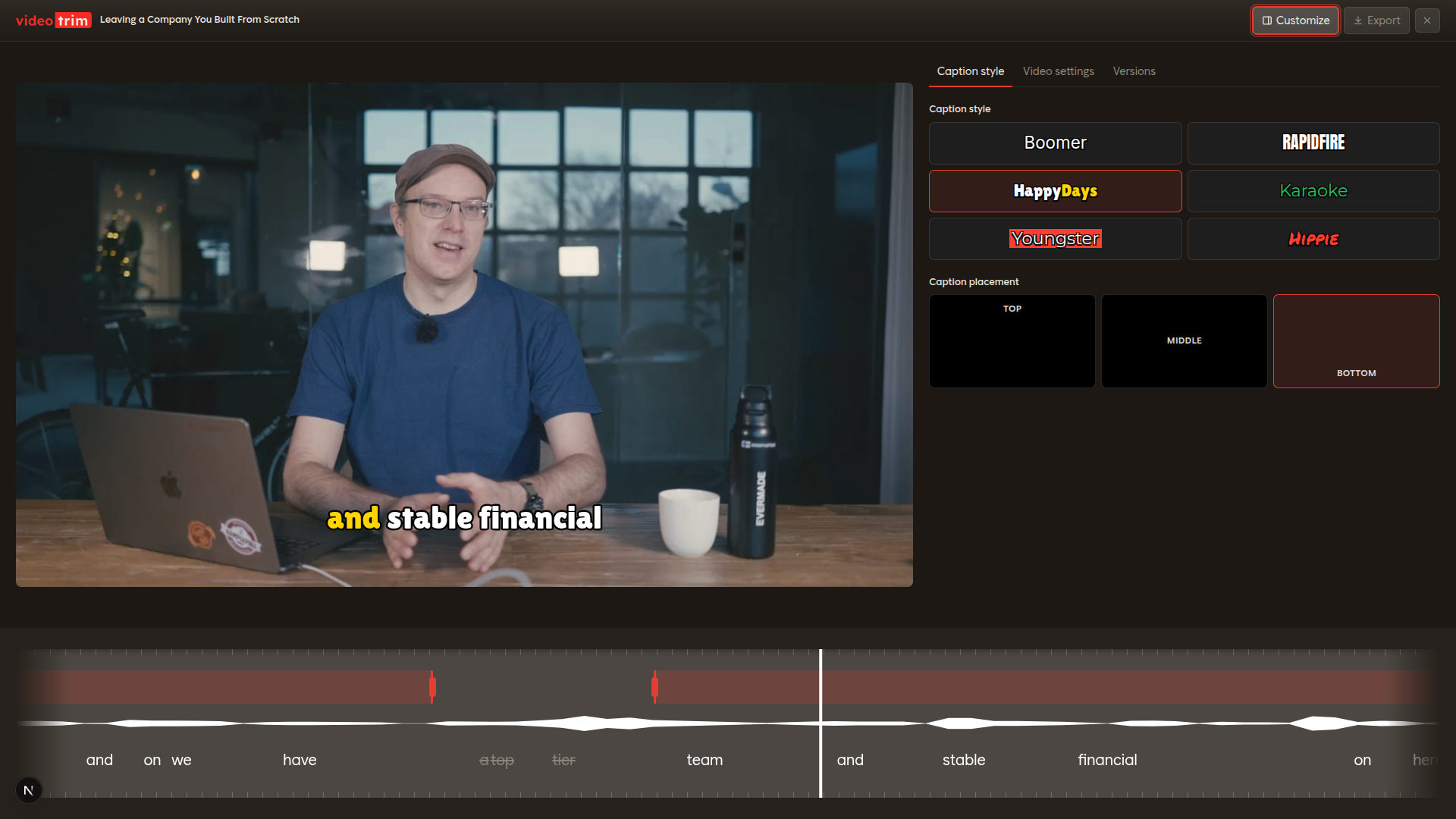
No panels to dig through, no timeline to learn — the whole editor fits on one screen.
Six built-in looks. Click one and every caption in the clip restyles instantly.
Every word is transcribed and timed automatically, then highlighted as it’s spoken.
Drag the clip handles to set your start and end — no precision scrubbing needed.
Spot every word and pause on the visual waveform and cut exactly where you mean to.
Delete a word in the transcript and the video trims to match — no scrubbing.
If it's long and worth watching, there are clips inside it.
Podcasters
Pull the sharpest moments from each recording and post them where your next listener is already scrolling.

Video creators
Repurpose long-form uploads into Shorts and Reels.

Webinars
Slice highlights from webinars into bite-size promos that actually drive sign-ups.

Courses
Cut your best teaching moments into free clips that send students straight to the full course.
Our model picks the segments worth clipping — strong hooks, clear stories, quotable lines.
Accurate captions added to every clip. Edit a word and the timing follows.
Works with both vertical and horizontal videos, ready for any platform.
Turn a single recording into a batch of ready-to-post clips.
Choose from multiple caption presets to match your video.
A long video becomes polished clips while you grab coffee. No timeline, no scrubbing.
No timeline to learn. No clips to hunt for. Just results.
Drop in a podcast, webinar, interview, vlog, or stream recording.
Videotrim transcribes your video, picks the best segments, and cuts on the audio — never mid-word, no silence.
Adjust the in/out points, fix caption wording, or reanalyze with a new prompt until each clip is exactly how you want it.
Export vertical or wide clips with word-perfect captions — ready for every platform.
Sign up free — 2 credits on us. No subscription, no editing skills, no excuses.